SkyReels V4 tutorial — write prompts for cinematic video with synchronized native audio

[ Tutorial ]

SkyReels V4 Tutorial

Write better prompts for SkyReels V4 and turn your ideas into synchronized 1080p videos with natural sound in minutes — no extra audio editing required.

[ Prompts ]

How to Write Powerful Prompts for SkyReels V4

Craft prompts that unlock the full potential of unified video-audio generation.

Good prompts are the key to consistent, high-quality results with SkyReels V4. Focus on clear visuals, specific audio cues, camera movement, and style references to get exactly what you want on the first try.

Strong prompts combine scene description, motion, sound, and technical details while keeping the language natural.

[ Workflow ]

Step-by-Step Prompt Writing Guide

Follow this proven workflow to create effective SkyReels V4 prompts.

  1. 1

    Step 1: Start with a Clear Core Scene

    Describe the main subject and action concisely.

    Example

    A young chef cooking pasta in a busy Italian kitchen
  2. 2

    Step 2: Add Specific Motion and Camera Direction

    Include natural camera movement for cinematic feel.

    Example

    smooth tracking shot following her hands, gentle push-in on the sizzling pan
  3. 3

    Step 3: Layer Audio Elements

    Tell the model exactly what sound you want synchronized.

    Example

    knife chopping rhythmically, pasta bubbling, Italian music playing softly in background, her calm voice explaining each step
  4. 4

    Step 4: Add Style, Lighting, and Technical Specs

    Specify quality and aesthetic.

    Example

    cinematic lighting, warm tones, 1080p, 32fps, 15 seconds, realistic style
  5. 5

    Step 5: Include References When Needed

    Reference images or short audio clips for consistency.

    Example

    use attached image of the chef as character reference, match voice tone from provided audio sample
  6. 6

    Step 6: Use Negative Prompts for Control

    Prevent unwanted results.

    Example

    blurry, shaky camera, distorted audio, low resolution, cartoon style

[ Templates ]

Best Prompt Structures & Templates

Ready-to-use templates for common commercial scenarios.

Marketing Product Video

Professional product shot of wireless headphones on marble surface, slow orbiting camera movement, clean studio lighting, satisfying unboxing click sounds, soft ambient music swell, 16:9, 1080p

Social Media Talking Head Reel

Confident female entrepreneur speaking directly to camera in modern office, natural handheld sway, eye contact with viewer, clear enthusiastic voice, subtle background city hum, vertical 9:16

Explainer Scene

Animated 3D workflow diagram showing AI content creation process, smooth transitions between steps, professional male narration explaining each stage, subtle tech interface beeps, clean minimalist style

Atmospheric B-Roll

Rain falling on Tokyo street at night, neon reflections on wet pavement, slow dolly forward, distant traffic sounds, soft rain patter, moody cinematic atmosphere, 15 seconds

Tip: Always mention audio early in the prompt so the model treats sound as equally important as visuals.

[ Advanced ]

Advanced Prompt Techniques for Better Results

Take your SkyReels V4 outputs to professional level.

  • Use Weighted Details

    Put the most important elements first or use parentheses for emphasis: “(highly detailed face), dramatic lighting, (perfect lip sync)”

  • Control Timing and Pacing

    Specify rhythm: “slow motion at 3 seconds, then normal speed, smooth transition”

  • Combine Multiple Inputs

    “Start with reference image of luxury car, transform into driving scene on coastal highway at sunset, engine roar and wind sound synced to motion”

  • Maintain Consistency Across Shots

    For multi-shot videos: “Scene 1: ... Scene 2: same character and lighting, continuous story flow”

  • Fix Common Issues

    If audio feels off: add “perfect temporal audio synchronization, lip movements match speech precisely”. If motion is unnatural: add “realistic physics, natural human movement”.

Common Pitfall: Overloading the prompt with too many conflicting ideas. Keep focus on 3–5 key elements for best quality.

[ Examples ]

Real-World Prompt Examples for Business Use

See how professionals use SkyReels V4 prompts in daily production.

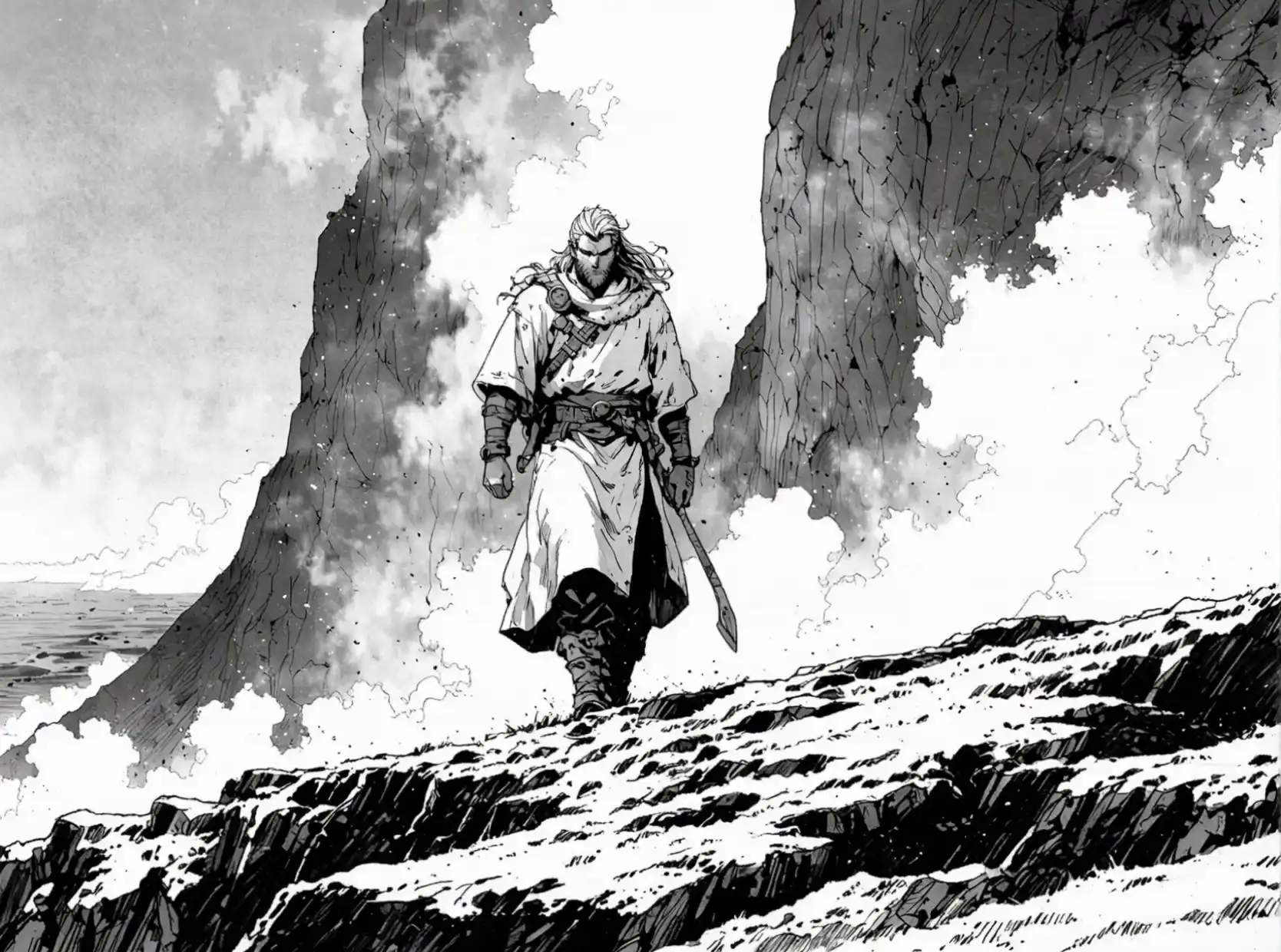
Epic Fantasy Warrior demo video poster

Epic Fantasy Warrior

Prompt

Powerful lone warrior with long flowing white hair and thick beard, wearing a rugged white tunic with leather armor straps and a large sword at his side, walking determinedly across a dramatic rocky cliff edge overlooking the turbulent sea, surrounded by massive jagged dark rock formations and swirling white mist, intense and cinematic black and white ink illustration style, high contrast, epic fantasy atmosphere, dynamic composition, detailed textures
Hyper-Realistic Action Character demo video poster

Hyper-Realistic Action Character

Prompt

Fully equipped soldier in a desolate post-apocalyptic ruins, cinematic camera work, dynamic tracking shots and intense close-ups, hyper-realistic details on weathered tactical gear, weapons, dust-covered armor and scarred face, dramatic lighting with god rays piercing through ruined buildings, flying debris and ash particles in the air, slow-motion action movements, gritty realistic textures, high tension atmosphere, 1080p cinematic quality with synchronized intense sound effects and ambient wind

Anime-Style Intense Character demo video poster

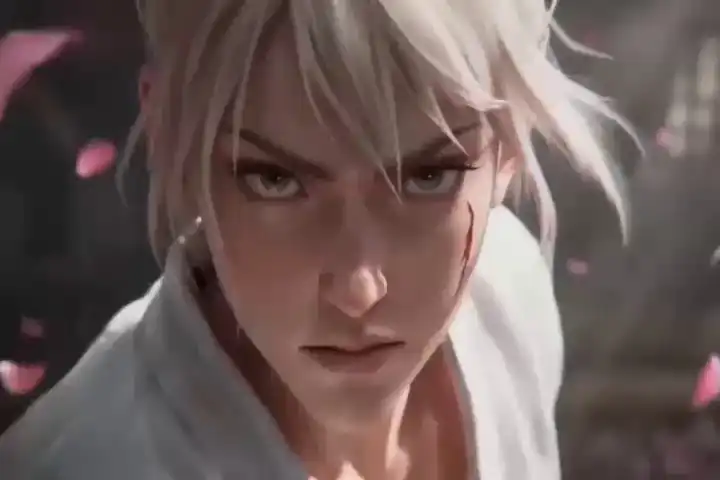
Anime-Style Intense Character

Prompt

Close-up of an emotional anime character with intense expression, dynamic lighting and dramatic shadows, beautiful detailed anime style with vibrant colors, flowing hair and expressive eyes, particle effects like glowing sparks, energy aura or cherry blossoms floating around, emotional intensity and subtle movements, cinematic anime animation, smooth motion, high detail facial expressions, powerful mood lighting, vertical format suitable for social media, 1080p with synchronized emotional music and subtle sound effects

After testing these prompts, many creators report 3–5x faster content production with ready-to-publish audio-visual clips.

Want to see how these prompts perform in real projects? Check our SkyReels V4 Review for user results and comparisons.

[ FAQ ]

Frequently Asked Questions

How do I write good prompts for SkyReels V4?+
Focus on clear subject, specific motion, audio cues, camera movement, and style. Include references when you need consistency. Test and refine one element at a time.
What makes a prompt effective for audio sync in SkyReels V4?+
Explicitly describe sounds and their timing. Mention “perfect lip sync” or “temporally aligned audio” to help the model generate synchronized video and sound together.
Can I use images with prompts in SkyReels V4?+
Yes. Combine reference images with detailed text prompts for stronger character and style control in Image to Video tasks.
How long should my SkyReels V4 prompt be?+
Aim for 50–150 words. Too short leads to generic results; too long can confuse the model. Prioritize quality over quantity.
Does prompt order matter in SkyReels V4?+
Yes. Put the most important visual and audio elements at the beginning. The model pays more attention to early details.
Where can I practice these SkyReels V4 tutorial techniques?+
Start with the free tier on the official platform. For advanced use and API integration, check our Pricing page.

[ Next Step ]

Mastered the prompts? Now create professional synchronized videos faster than ever.